
In today’s competitive hiring landscape, recruiters and HR professionals need more than a polished LinkedIn profile to stand out—they need a strong personal brand. A well-designed LinkedIn banner is one of the first visual elements visitors notice, making it a valuable opportunity to communicate your expertise, professionalism, and company values at a glance. Whether you want to attract top talent, strengthen industry connections, or showcase your employer’s brand, the right banner can help you make a memorable first impression. From clean, corporate layouts to creative designs that highlight your recruitment expertise, these LinkedIn banner designs for recruiters and HR experts will help you build credibility, capture attention, and make your profile stand out for all the right reasons.
Why are LinkedIn banners important for recruiters?
The recruiters communicate with candidates, HR managers, business executives and other professionals on a daily basis. Their profiles should be professionally done and it should be a trustworthy one. A good LinkedIn Banner can be a useful visual real estate to add to a recruiter’s brand. In the case of a tech recruiter, their website could incorporate subtle tech-inspired graphics and graphics that use a modern design. A human resources consultant might have an option of going with a clean corporate design that focuses on leadership, company culture and employee growth. The banner should blend in with the rest of the profile and not stand out from the profile picture, headline or About area. When all these are consistent, it will give a professional and organized look.
There are many elements that are important to your HR LinkedIn banner
A successful banner doesn’t have to be difficult. In fact, a simple design will appear more professional. Some crucial factors must be kept in mind by the recruiters and HR experts when making their visual branding. The first thing to do is pick colours that are congruent with your work or company logo. A professional-looking style can achieve trustworthiness with colour palettes of corporate blues, neutral shades and sophisticated combinations, whereas for creative recruitment specialists bright colours might be more appropriate. Second, take into account to include a brief professional statement. Knowing how to answer questions like “Connecting Talent With Opportunity” or “Building Stronger Teams Through People” can immediately provide an explanation of your area of expertise. Thirdly, add appropriate visuals. Very few symbols which are associated with recruitment, people, career, leadership or cooperative work in the workplace can make the design meaningful without making it look cluttered.
Recruiters need to adopt professional design ideas in order to win over their clients
Depending on their specialization, different ideas for banners can be used for recruiting. For a corporate recruiter, a clean design with the company’s colours and straightforward message on talent acquisition can be of great value.
Recruiters who source candidates through platforms like Globalwork can also reference this in their banner messaging, signaling to candidates that they have access to a broad, curated pool of opportunities across industries and locations.
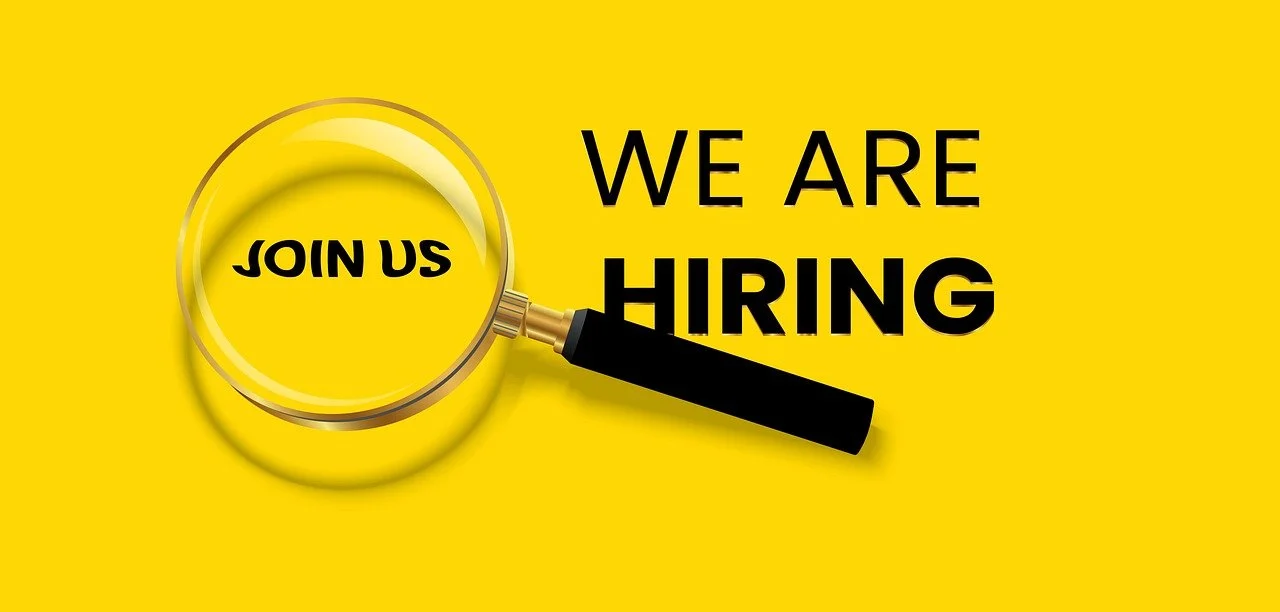
Instead, the recruiter who is independent can go ahead with a design conveying personal-branding which will emphasize that he/she works in executive recruitment or healthcare recruitment or technology recruitment or international recruitment as examples. A good concept will certainly be to utilize the organization image of work space with sensitive typography. This is another type of image that you can use: a picture with a team working together which can be related to teamwork, company culture, or employee engagement. The key aspect is making sure that the design looks readable and professional. Use as few words as possible, low decorative detail and simple background
There are some tips that HR professionals can use to ensure they are properly branded
HRs can develop a uniform personal brand by having their banner. If you post regularly on such topics as employee engagement, workplace culture, leadership or career development, your visual brand should convey those themes. A LinkedIn Banner can also help to strengthen an organization’s Employer Brand. HR leaders from a company can use the colors, images and messaging that are approved by the brand to achieve uniformity and consistency between their personal brand and the company’s. But branding shouldn’t get heavy handed. The banners should not be a big advertisement and should be representative of the professional. An imbalanced design can foster individual and organizational values.
📃Selecting an appropriate font style for a document
A professional looking banner is greatly influenced by typography. When choosing fonts for recruiting, you should choose those that are easily readable on desktop computers and on cell phones. Limit the use of fonts to one or two, don’t use several. Headlines should be big enough to be quickly read and supporting text should be simple and concise. It is also essential to have the text positioned correctly. Avoid placing vital details over the site profile image or other components of the LinkedIn interface. Review the design before it is published on various screen sizes, to ensure it is visible
What Is the Best LinkedIn Banner Size for Recruiters and HR Professionals?
Choosing the correct dimensions is an essential step when creating a LinkedIn banner. Even a well-designed graphic can look blurry, cropped, or poorly positioned if it is created in the wrong format. According to LinkedIn’s official cover image guidelines, the recommended dimensions for a personal profile banner are 1584 × 396 pixels, with a maximum file size of 8 MB. LinkedIn supports JPG and PNG formats for this image.
Recruiters should design their banners around these specifications rather than stretching an image created for another social media platform. A LinkedIn profile banner has a wide 4:1 aspect ratio, so the layout needs to communicate the recruiter’s expertise without relying on excessive text or small visual details.
Here are some practical guidelines to follow:
- Keep the main message visible: Place your professional tagline, recruitment specialty, or value proposition in an area that remains visible when the banner is cropped.
- Leave space for the profile photo: Your profile picture overlaps part of the banner. Avoid putting important text or contact details in the lower-left area.
- Use readable typography: Choose a clear font and sufficient contrast so candidates can understand the message without zooming in.
- Design for multiple screens: Review the finished banner on both desktop and mobile devices because the visible image area can change with screen size and resolution.
- Export in the correct format: Save the final image as a high-quality JPG or PNG and keep the file below LinkedIn’s 8 MB limit.
For example, a technology recruiter could use a subtle digital background with the message “Connecting Tech Talent With Opportunity.” An HR consultant might choose a clean corporate design with a short statement about leadership, workplace culture, or employee development.
Before publishing, upload the banner to your profile and check how it appears alongside your photograph, headline, and About section. This final review helps ensure that your visual branding looks intentional rather than crowded.
How to Measure the Effectiveness of Your LinkedIn Banner
A professional LinkedIn banner can communicate your recruitment specialty and reinforce your personal brand, but its effectiveness should not be judged by appearance alone. Recruiters and HR professionals should also consider whether their overall profile attracts relevant visitors, encourages meaningful conversations, and accurately communicates their professional expertise.
LinkedIn provides profile analytics that can help you monitor visibility and visitor interest. Its official guidance distinguishes between profile appearances, which show how often your name and headline appear across LinkedIn, and profile views, which indicate that people have visited your profile. These metrics provide useful context, although neither proves that the banner itself caused an increase.
You can improve your evaluation process by following these steps:
Record a baseline:
Before changing your banner, note your available profile views, appearances, and relevant engagement metrics.
Set a clear objective:
Decide whether you want to communicate your recruitment specialty, strengthen your employer brand, attract candidates, or generate interest from hiring managers.
Keep the rest of your profile consistent:
Make sure your headline, About section, experience, and banner communicate the same professional focus.
Monitor relevant interactions:
Look for meaningful candidate enquiries, messages from hiring managers, connection requests, or conversations that align with your recruitment goals.
Compare results over time:
Review your available analytics before and after the redesign, while considering changes in posting activity, networking, and market demand.
Refresh outdated information:
Update your banner when your role, company, recruitment specialty, or professional message changes.
LinkedIn’s official analytics guidance explains how profile appearances and profile views differ. You can use these measures to understand whether your professional presence is becoming more visible and attracting interest.
For example, a healthcare recruiter might replace a generic corporate banner with a design that clearly communicates healthcare talent acquisition. If relevant candidates begin engaging with the profile, that may be a useful signal—but it does not establish that the banner alone produced the change.
The most important principle is to measure the banner as part of your overall LinkedIn strategy. A strong design should support a complete, credible profile and make it easier for candidates, clients, and professional contacts to understand what you do..
Here are some of the common design mistakes to avoid
Although a good looking banner can be an effective means of advertising, there are some common mistakes in the design that can render it ineffective. There’s one mistake that is using too much text. It will take the visitor a few seconds to grasp the key message. Images that are of lesser quality should also be avoided as it could make a professional profile look less professional. Likewise, a bland assortment of unrelated imagery, overuse of graphics, and disruptive patterns can detract from the impact. Additionally, recruiters shouldn’t use information that is outdated. Any banner that features a job title, company name, services or recruitment specialty should be updated should there be any change in this information.
Making a Good Professional impression
A LinkedIn Banner should be used to complement the rest of the LinkedIn profile. Professional story should be established with the profile photo, headline, About, experience, featured content and banner. This uniformity can lend a feel of authenticity and friendliness to a profile for recruiters and HR professionals. It can also assist candidates to comprehend the recruiter’s field of specialization prior to beginning a discussion. Most good designs are generally those that convey a single thought. Do not put every service or achievement in as it will make the website too cluttered, instead focus on the message you want visitors to take away from the website.
Final Thoughts:
An expert banner can truly make a difference in producing a recruiter or HR expert’s LinkedIn profile look much more visually appealing. If you want to make a design look professional, you have a number of options that you can use, such as taking a clean design for your corporation or a particular theme for your recruiting. You can positively portray personal brand, showcase recruitment experience, and create a great first impression through the right LinkedIn Banner. If it has the right colors, an easily legible type style, associated images and a short, concise message then a recruiter or HR professional is creating a produced career in a professional world full of competition.